VPN for Streaming: Unblock Netflix, YouTube, Disney+ and More

Learn how a VPN unblocks Netflix, YouTube, Disney+, BBC iPlayer and more — including why geo-blocks exist, how ISP throttling works, and what to look for in a streaming VPN.
Introduction
Picture this: you've just arrived in a new country, opened Netflix, and half the shows you watch at home have simply vanished. Or you're at home, perfectly legal subscription paid up, and your connection slows to a crawl every evening when you try to stream in 4K — not because your internet plan is bad, but because your ISP is deliberately choking your streaming traffic. Both problems are real, both are more common than most people realise, and both have the same solution.
A VPN for streaming isn't a workaround or a hack. It's a direct response to two distinct technical realities: the way content licensing works across national borders, and the way internet service providers manage (and throttle) high-bandwidth traffic. According to a 2024 report by GlobalWebIndex, over 31% of VPN users worldwide cite accessing better streaming content as their primary reason for using one — making it, by some distance, the most common VPN use case on the planet.
This guide cuts through the noise. You won't find a generic list of VPN providers ranked by affiliate commission here. Instead, you'll get a clear technical picture of why geo-restrictions exist, how a VPN bypasses them at the protocol level, how each major platform handles VPN detection, and exactly what technical features separate a VPN that reliably streams from one that buffers endlessly or gets blocked within a week. By the end, you'll know precisely what to look for — and exactly what's happening under the hood when it all works.
Why Your Streaming Library Looks Different in Every Country
Most people assume streaming platforms choose what to show in each country. The reality is more complicated — and more interesting. Streaming platforms show different content in different countries because of regional content licensing agreements. Studios sell distribution rights territory by territory, and platforms are contractually obligated to enforce those boundaries using your IP address as a location signal. Netflix doesn't want to show you a different library in Germany than in the United States — it's required to by the contracts it signs to carry content at all.
Here's how it actually works. When a studio makes a film or a television series, it typically doesn't sell global streaming rights to a single platform in one transaction. Rights are bundled and sold by territory — sometimes to Netflix in North America, to a different broadcaster in France, to a third-party regional platform in Southeast Asia, and so on. Each rights holder pays for exclusivity within their territory, which means Netflix is contractually blocked from showing that title in regions where another party holds the rights. The IP address your device broadcasts when you connect to the internet tells Netflix which country you're in, and it adjusts your available library accordingly.
The practical consequences are significant. According to research published by Comparitech, the US Netflix library contains over 5,800 titles, while the UK library holds around 3,500 — a gap of more than 2,300 titles driven entirely by licensing differences, not content curation decisions. The same effect plays out on Disney+, where certain Marvel and Star Wars titles are distributed through different broadcasters in specific countries and simply don't appear on the Disney+ catalogue there. YouTube's regional content blocks tend to be narrower but exist for the same reason: music video licensing through regional collecting societies, national broadcaster exclusivity deals, and government content regulations in certain countries.
The important thing to understand is that none of this is personal. The platform isn't filtering content based on what it thinks you want. It's enforcing a legal contract using the only signal it has about your physical location: the IP address your internet service provider assigned to you. Change that signal — present an IP address from a different country — and the platform serves you the library for that country. That is, mechanically, what a VPN does.
How a VPN Unblocks Streaming Platforms — What Actually Happens
A lot of VPN explanations stop at "it hides your IP address" — which is true, but incomplete. Understanding the full mechanism explains why some VPNs work for streaming while others don't, and why any VPN can stop working if the underlying infrastructure isn't properly maintained.
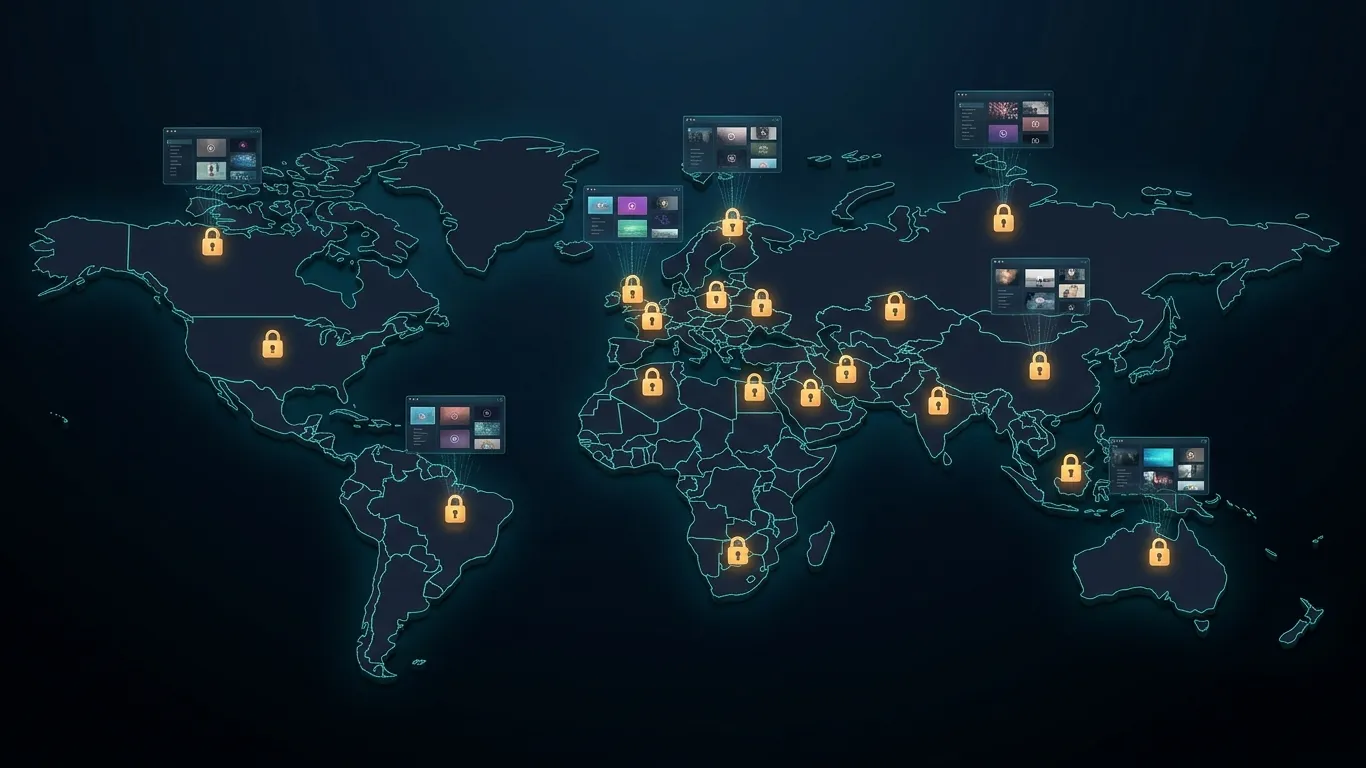
When you connect to a VPN, your device creates an encrypted tunnel to a server operated by the VPN provider. All your internet traffic is routed through that server before reaching the open internet. From the perspective of every website or streaming service you connect to, your traffic appears to originate from the VPN server's IP address — not your home IP address. If that server is located in the United States, you appear, to Netflix's systems, to be connecting from within the United States. Netflix then serves you the US library.
That's the basic mechanism. But streaming platforms have become sophisticated at detecting VPN traffic. Netflix, in particular, began aggressively blocking VPN IP addresses in 2016 after pressure from content rights holders, and has been refining that detection ever since. The platform maintains dynamic block lists of IP ranges known to be associated with data centres — the facilities where VPN providers house their servers. When you connect through a VPN server whose IP range has been flagged, Netflix displays the now-infamous "proxy error" message and refuses to serve content.
This is the reason VPNs for streaming require active maintenance. A VPN provider that acquired a set of server IP addresses in 2021 and hasn't rotated or expanded them since is likely to find that many of those addresses are now on Netflix's block list. Providers who invest in ongoing IP rotation — regularly acquiring fresh IP addresses that haven't been associated with VPN traffic — can stay ahead of the block lists. It's a continuous technical arms race, not a one-time configuration problem.
There's also the DNS leak issue, which is worth understanding. Even when your traffic is routed through a VPN server in another country, your device may still be sending DNS requests — the queries that translate domain names like netflix.com into IP addresses — directly to your ISP's DNS servers, which are located in your actual country. Netflix and other platforms can cross-reference your IP address (showing the US, via VPN) with your DNS request origin (showing your home country, via your ISP's resolver) and flag the mismatch. A properly configured VPN routes all DNS queries through its own DNS servers, eliminating this leak and presenting a fully consistent country signal.
Platform-by-Platform Breakdown: Netflix, YouTube, Disney+ and More
Not all streaming platforms approach geo-enforcement the same way. The technical sophistication of their detection systems varies significantly, and so does the ease of unblocking them with a VPN. Here's what you actually need to know about each major platform.
Netflix: The World's Most Geo-Restricted Platform
Netflix operates content libraries in over 190 countries and has the most aggressive VPN detection system of any major streaming service. The platform cross-checks incoming IP addresses against known VPN and data centre IP ranges, monitors DNS request origins for country mismatches, and has reportedly experimented with WebRTC leak detection — a browser-based mechanism that can reveal your real IP address even when a VPN is active, if the VPN client doesn't properly disable WebRTC.
The practical implication is that only a VPN with actively maintained residential or obfuscated IP addresses, a full DNS leak prevention system, and browser-level WebRTC protection will reliably unblock Netflix. The US library remains the most requested target, with approximately 2,000–2,500 more titles than the average international library. Japan and South Korea are also popular targets for anime and K-drama content not available in Western libraries.
YouTube: Region Locks, Restricted Videos, and Premium Content
YouTube's geo-restrictions are narrower but still meaningful. Individual videos are frequently blocked in specific countries due to music licensing (a video using a song licensed only in the UK won't play in Canada), government regulations (certain news and political content is blocked in countries with restrictive internet policies), or broadcaster exclusivity deals. YouTube Premium also has geographic pricing differences — subscribers in some countries pay significantly less than in others.
The good news is that YouTube's VPN detection is less aggressive than Netflix's. Most VPN servers, including standard data centre IP addresses, work with YouTube. The main failure point tends to be speed: YouTube's adaptive bitrate streaming will automatically drop quality if your connection can't sustain throughput, which means a VPN with high latency or heavily congested servers will result in buffering even if geo-unblocking works fine.
Disney+: Tighter Detection, Regional Catalogue Differences
Disney+ launched in 2019 with relatively permissive geo-enforcement, but has progressively tightened its VPN detection as the platform has expanded internationally. By 2023, Disney+ had begun implementing detection methods comparable to Netflix's — blocking known data centre IP ranges and monitoring for DNS inconsistencies.
The catalogue differences on Disney+ are driven by a specific complication: the platform's content library includes legacy titles acquired through the Fox merger that were already under long-term regional distribution deals with other broadcasters. In some markets, titles from the Star Wars and Marvel franchises are distributed through those legacy partners rather than Disney+ directly, creating genuine catalogue gaps that a VPN can bridge by routing through a region where Disney+ holds the full rights.
BBC iPlayer, Hulu, and Amazon Prime Video
BBC iPlayer is one of the most aggressively geo-locked streaming services in the world — it's available only in the United Kingdom, funded by the UK licence fee, and enforces that restriction with significant technical rigour. Unblocking iPlayer requires a UK-based VPN server with a consistently maintained IP address; iPlayer's detection system regularly updates its block lists, making this one of the more demanding unblocking targets.
Hulu operates exclusively in the United States, with no official international availability at all. It uses IP-based geo-enforcement similar to Netflix but has historically been somewhat easier to bypass with quality VPN servers. Amazon Prime Video sits in an interesting middle ground — the core subscription is available in many countries, but individual titles within the library shift by region in the same way Netflix's do, and the platform cross-checks billing address against access IP to add an additional layer of verification.
| Platform | Geo-Restriction Level | VPN Detection Difficulty | Most Common Target Regions |
| Netflix | Very High | High — active IP block lists | US, UK, Japan |
| BBC iPlayer | Very High | High — UK-only enforcement | UK |
| Disney+ | High | Medium-High — increasing aggressively | US, UK |
| Hulu | High | Medium — US-only | US |
| Amazon Prime Video | Medium-High | Medium | US, UK |
| YouTube | Low-Medium | Low — mostly standard IP check | Varies by video |
The ISP Throttling Problem Nobody Talks About
Here's something that doesn't get nearly enough attention in most VPN and streaming conversations: your connection may be slow during peak streaming hours not because your internet plan is too small, but because your ISP is deliberately throttling your streaming traffic.
ISP throttling of streaming services is well-documented. In 2018, Northeastern University and the University of Massachusetts Amherst published a landmark study — Wehe — that actively detected ISP throttling of specific streaming apps. The study found that major US carriers were throttling Netflix traffic at rates as low as 1.5 Mbps even for subscribers on plans theoretically capable of 20+ Mbps. AT&T, T-Mobile, and Verizon were all identified in the research. This wasn't accidental congestion. It was targeted rate-limiting of streaming traffic specifically.
ISPs can do this because of a technique called Deep Packet Inspection (DPI). Your router sends data packets to the internet constantly, and those packets contain header information that identifies the source and destination. Without encryption, an ISP's DPI systems can identify that a stream of packets is going to Netflix's content delivery servers and apply a throttling policy specifically to that traffic while leaving other traffic — say, web browsing or email — at full speed. The effect is that your Netflix connection runs at 5 Mbps while your general browsing runs at 50 Mbps, on the same connection, at the same time.
A VPN defeats DPI-based throttling almost completely. When your traffic is encrypted inside a VPN tunnel, your ISP's DPI systems can see that you're sending encrypted traffic to a VPN server — but they cannot see what's inside that tunnel. They cannot identify the traffic as a Netflix stream. The result is that the ISP-level throttling policy for Netflix traffic can't be applied, because the ISP can't identify the traffic as Netflix in the first place. Your full connection bandwidth becomes available for streaming.
This is why many people find that their streaming quality improves noticeably after connecting to a VPN, even when they're accessing a library in their own country where geo-restrictions aren't the issue. The VPN isn't speeding up their connection — it's stopping their ISP from slowing it down.
The important caveat is that the VPN itself adds latency and some processing overhead. If your VPN server is geographically distant, that added latency can cause problems for live streams and sports where real-time delivery matters. For pre-recorded on-demand content, the VPN's overhead is effectively negligible if the server is reasonably close to your location and well-provisioned. A VPN with servers in your own country — or in a nearby country — can both protect against ISP throttling and keep latency low enough that streaming performance is unaffected.
What Separates a Streaming VPN That Works From One That Doesn't
Most VPN providers claim to "work with Netflix." Far fewer actually do, consistently, over time. The difference comes down to five specific technical characteristics that most marketing copy never mentions.
The first is IP address quality and rotation cadence. Standard data centre IP blocks — the kind bought in bulk from cloud providers like AWS or DigitalOcean — are the first thing Netflix's detection systems flag. Providers that maintain residential IP addresses (real consumer IP addresses leased from internet providers around the world) or that actively rotate their server IP ranges as addresses get blocked are substantially more reliable for streaming. Ask any VPN provider how often they update and rotate IP addresses — the answer reveals a lot about how seriously they take streaming use cases.
The second is DNS leak protection. As explained earlier, a DNS leak can expose your real geographic location even when your IP address is correctly spoofed. The correct technical solution is to route all DNS queries through the VPN provider's own zero-knowledge DNS servers and to implement a DNS leak kill switch that blocks all traffic if the DNS configuration breaks. This should be enabled by default, not buried in advanced settings.
The third is connection protocol and obfuscation capability. WireGuard is currently the fastest VPN protocol for streaming use cases — it has lower overhead than OpenVPN and achieves better throughput on the same hardware. But some streaming platforms have begun fingerprinting WireGuard traffic patterns specifically. Obfuscated protocols — where VPN traffic is disguised to look like regular HTTPS traffic — solve this problem and are valuable in any environment where VPN usage is detected or restricted. WireGuard plus obfuscation is the current gold standard for streaming VPNs.
The fourth is server load and quality. A VPN server that's overcrowded — too many users sharing the same connection capacity — will throttle your throughput just as surely as an ISP. Quality streaming VPN providers monitor server load in real time and either automatically route users to less congested servers or surface current server load information so you can choose manually.
The fifth is split tunneling. This feature lets you route some apps through the VPN while others connect directly. For streaming, the practical benefit is significant: you can route your streaming app through the VPN (for geo-unblocking and ISP throttle bypass) while keeping other traffic — online banking, video calls, file downloads — on your regular connection. This avoids unnecessarily routing all your traffic through the VPN server and keeps latency low for the apps where VPN-level latency would be a problem.
Setting Up Your VPN for Streaming: A Practical Walkthrough
Getting a VPN working for streaming takes less than five minutes once you know the right steps. The process is slightly different depending on your device, but the core logic is the same across all of them.
Start by installing the VPN client on the device you use for streaming. If you watch primarily on a Smart TV or a streaming stick like a Fire TV or Apple TV, note that these devices typically don't support VPN app installation natively — the cleaner solution is to install the VPN on your router, which routes all devices on your network through the VPN automatically. Alternatively, you can install the VPN on a laptop and use the laptop as a Wi-Fi hotspot that your TV connects to.
Once the app is installed, don't just connect to the nearest server by default. Choose a server specifically in the country whose streaming library you want to access. For the US Netflix library, connect to a US server. For BBC iPlayer, connect to a UK server. Most quality VPN clients label servers by country, and some specifically label servers as "optimised for streaming" — these tend to be the IP addresses most recently maintained for streaming use.
Before launching your streaming app, verify there's no DNS leak. Most VPN clients include a built-in leak test, but you can also use ipleak.net — load it with the VPN connected and confirm that all displayed IP addresses and DNS servers show your VPN's country, not your real location. If you see your real ISP's DNS servers in the results, toggle the VPN's DNS leak protection setting off and back on, or switch protocols.
If your streaming platform still shows a geo-restriction error after connecting, try these steps in order: clear the streaming app's cache (or use a private browsing window for browser-based streaming), switch to a different server in the same country, and if the platform is particularly aggressive (iPlayer, Netflix), switch to the VPN's obfuscated server option if one is available. On Netflix specifically, the error "You seem to be using an unblocker or proxy" means the specific server IP has been flagged — switching servers usually resolves it within thirty seconds.

Why UCN VPN Is Built for Reliable, Buffer-Free Streaming
If you've followed everything above, you now know exactly what to look for in a VPN for streaming: actively maintained IPs that aren't on detection block lists, airtight DNS leak protection, obfuscated protocols that hold up against deep packet inspection, well-distributed low-latency servers, and split tunneling for flexible routing. Here's how UCN VPN approaches each of those requirements.
UCN VPN operates a global server network with streaming-optimised nodes that go through regular IP rotation to stay ahead of Netflix's and Disney+'s block lists. This isn't a passive maintenance approach — it's active infrastructure management, because maintaining streaming access to the world's most detection-aggressive platforms requires it. Every UCN VPN server routes DNS through UCN's own zero-knowledge DNS infrastructure, with DNS leak prevention enabled by default rather than buried in advanced settings where most users never find it.
The protocol stack matters too. UCN VPN supports WireGuard for maximum throughput on high-demand streaming scenarios — particularly important when you're streaming 4K at 25 Mbps or above — alongside obfuscated connection modes for environments where deep packet inspection is active, including networks known to throttle VPN traffic itself. The automatic protocol selection chooses the best option for your current network conditions without requiring manual configuration.
On server load: UCN VPN surfaces real-time server load indicators so you're never unknowingly connecting to an overcrowded server that will degrade your streaming quality. And split tunneling is available on all major platforms — iOS, Android, Windows, and macOS — so you can keep your streaming apps VPN-routed while your banking and productivity apps connect directly.
None of this is complicated to set up. UCN VPN is built for everyday users who want streaming that just works — not for network engineers who enjoy troubleshooting connection configurations. Getting started takes less than two minutes.
Frequently Asked Questions About VPN for Streaming
Does a VPN really work for Netflix?
Yes — but with an important qualifier. A VPN works for Netflix only if the VPN provider actively maintains their server IP addresses and rotates them as Netflix's detection systems flag them. Netflix has one of the most aggressive VPN block list systems of any streaming platform, updating it continuously. VPNs that invest in residential IP rotation and obfuscated protocols work reliably. VPNs using static data centre IP blocks that haven't been refreshed may fail immediately or stop working after a short period. Expect to switch servers occasionally — this is normal, not a sign the VPN is broken.
Will a VPN slow down my streaming speed?
A VPN adds a small amount of overhead: your traffic is encrypted, sent to a VPN server, and then forwarded to its destination. This adds latency (typically 5–30ms for a nearby server) and slightly reduces maximum throughput. In practice, for most on-demand streaming, this is imperceptible — the encoding bitrate for 4K HDR on Netflix is around 15–25 Mbps, which is well within what any quality VPN can sustain. The exception is choosing a server geographically distant from your location, which can add significant latency. For streaming, always choose a server in or near the target country — not the physically closest server to you if those are in different countries.
Why does Netflix block VPNs?
Netflix blocks VPNs because its content licensing agreements with studios require it to enforce regional distribution rights. When Netflix carries a title in the US but another broadcaster has the exclusive European rights to that same title, Netflix is contractually obligated to prevent European users from accessing it via Netflix. VPN users who appear to be in the US (by IP address) but are actually in Europe represent a potential licensing violation. Netflix's block lists are a contractual compliance mechanism, not an anti-consumer policy decision.
Can I get banned from Netflix for using a VPN?
Netflix does not ban accounts for VPN use. The platform blocks the connection — displaying an error message and refusing to play content — but it does not terminate subscriptions or penalise accounts. Netflix's public statements on VPN use acknowledge that subscribers commonly use VPNs and focus on technical blocking rather than account-level enforcement. The only real risk is interruption to your viewing session if a server IP gets blocked mid-stream, which is solved by switching to a different server.
Is it legal to use a VPN for streaming?
In most countries, using a VPN is entirely legal. VPNs are standard business tools used by corporations worldwide for remote access and security. However, some countries restrict or prohibit VPN use — notably China, Russia, Belarus, and a small number of others — and in those jurisdictions the legality question is more complex. In terms of streaming platform terms of service: most platforms include language prohibiting circumvention of geographic restrictions, meaning VPN use may technically violate the ToS even if it's legally permitted. Platforms enforce this technically rather than legally — they block the connection rather than taking legal action against individual users.
How do I stop ISP throttling of my streaming?
The most effective method is routing your streaming traffic through an encrypted VPN connection. When your traffic is inside an encrypted VPN tunnel, your ISP's deep packet inspection systems cannot identify the traffic as a streaming service — and therefore cannot apply a throttling policy targeted at that service. Connect to a VPN server in or near your own country (to minimise added latency), confirm the connection is active, then launch your streaming app. The ISP sees only encrypted VPN traffic going to a VPN server, not Netflix or YouTube traffic, so the throttling policy can't be triggered.
Why does my VPN work with YouTube but not Disney+?
Different platforms maintain different levels of VPN detection sophistication. YouTube's detection is relatively permissive — it performs basic IP-based geo-checks but doesn't aggressively block data centre IP ranges the way Netflix or Disney+ do. Disney+ has significantly tightened its detection since its 2019 launch and now uses methods comparable to Netflix. If your VPN works with YouTube but not Disney+, the server IP you're connecting through is likely on Disney+'s block list. Try switching to a different server in the same country, or look for a server in your VPN client specifically labelled as streaming-optimised.
Does a VPN work on Smart TVs and streaming sticks?
Most Smart TVs and streaming sticks — including Fire TV, Roku, and Apple TV — don't support VPN app installation directly. The two most reliable solutions are: first, install the VPN on your home router (this routes all devices on your network through the VPN, including your TV); second, install the VPN on a laptop or desktop and share that connection as a Wi-Fi hotspot that your TV connects to. Some VPN providers also offer Smart DNS services as an alternative specifically for devices that don't support VPN apps — though Smart DNS provides geo-unblocking without the encryption layer, so it won't protect against ISP throttling.
Conclusion
The content you can access online has never been purely a function of what platforms offer — it's always been shaped by where you're connecting from, what your ISP decides to do with your traffic, and how the underlying rights deals between studios and distributors carve up the world by geography. A good VPN for streaming doesn't change what content exists. It gives you a more honest relationship with the open internet, where your IP address is just a network identifier — not a border crossing.
The three things worth taking away from everything above: geo-restrictions are contractual, not technical malice, and a VPN provides a clean, legitimate technical response to them. ISP throttling is real, documented, and more common than most people realise — and an encrypted VPN tunnel defeats it more completely than any other readily available tool. And not all streaming VPNs are equal; the ones that work reliably are doing significant ongoing infrastructure work behind the scenes, not just routing your traffic through a static server.
UCN VPN is built with exactly this in mind — getting started takes less than two minutes, and the infrastructure is maintained specifically for streaming performance, not just general privacy use.
The streaming library you pay for should be accessible wherever you are, on whatever network you're on. You have the technical understanding now to make sure it is.
UCN VPN Editorial
Security researchers and privacy advocates at UCN VPN. Writing about encryption, threat models, and practical privacy for everyday users.